
Download TotalMounter – virtual cd, iso file, virtual drive, mount iso, burn iso, cd emulator, disk image, virtual disk, mount disk, virtual dvd, iso creator, disk creator, virtual file, virtual mount, virtual cd drive, cd drive emulator, virtual cd software, iso file creator, virtual drive software, virtual disk creator
Overview
TotalMounter is a free utility software designed to provide users with a reliable solution for managing virtual CD/DVD drives on Windows systems. Its primary purpose is to enable users to mount, create, and manage disk images such as ISO, IMG, and VHD files, offering a digital alternative to physical disc drives. This functionality is especially valuable for individuals who frequently work with software installations, operating system backups, or multimedia content that relies on disc-based distribution.
The app addresses common challenges related to physical media, including disc wear, loss, and limited portability. By allowing users to emulate CD/DVD drives virtually, TotalMounter eliminates the need for physical hardware while maintaining full compatibility with standard disc image formats. It is particularly useful for IT professionals, software developers, educators, and home users who require consistent access to multiple disc images without the hassle of switching physical media.
Although the developer did not provide additional technical details about the company or background, the software has been available since 2013, indicating a stable presence in the productivity tool ecosystem. Its continued use suggests reliability and functional consistency over time. TotalMounter serves as a lightweight yet powerful tool within the broader category of system utilities, offering a streamlined workflow for digital disc management.
Key Features & Functionality
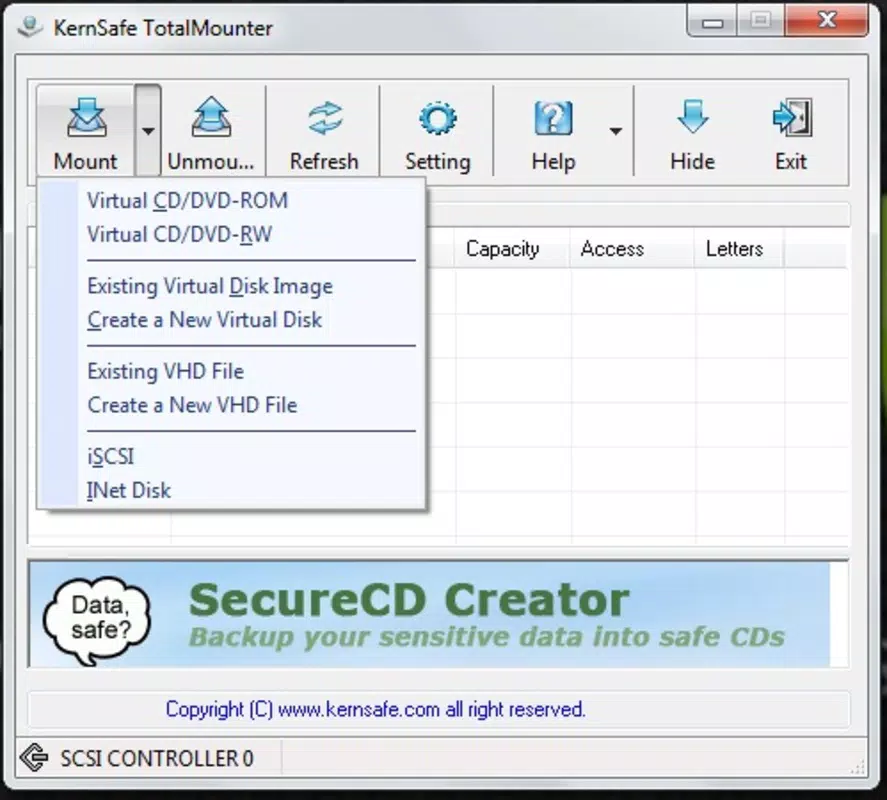
- Multiple Disk Format Support: TotalMounter supports up to ten different types of disk images, enabling effective emulation of various CD/DVD formats such as CD-ROM, DVD-ROM, RAM, and RW. This versatility allows users to work across diverse software environments without compatibility issues.
- Virtual Disc Creation: Users can create and mount virtual disc files like IMG and VHD, consolidating large data sets into single, manageable files. This feature simplifies file organization and backup processes, particularly for users managing software archives or multimedia libraries.
- Password Protection: For enhanced security, the software allows users to set password protection on IMG files. This ensures that sensitive data stored within virtual discs remains confidential and accessible only to authorized users.
- Seamless ISO Creation: Creating an ISO image is straightforward—users only need to specify the file size, save path, and optionally add a password. This intuitive interface reduces complexity and enables efficient image generation for both beginners and advanced users.
- iSCSI File Support: TotalMounter supports the initialization and mounting of iSCSI files, extending its utility beyond local disc emulation to include network-based storage solutions. This feature benefits users in enterprise or remote work environments requiring flexible access to shared storage.
Each feature is designed to enhance workflow efficiency and data security. For example, a software developer can mount multiple ISO files for testing different OS versions without needing physical discs, while an educator might use password-protected virtual drives to distribute secure course materials.
Interface, UX & Performance
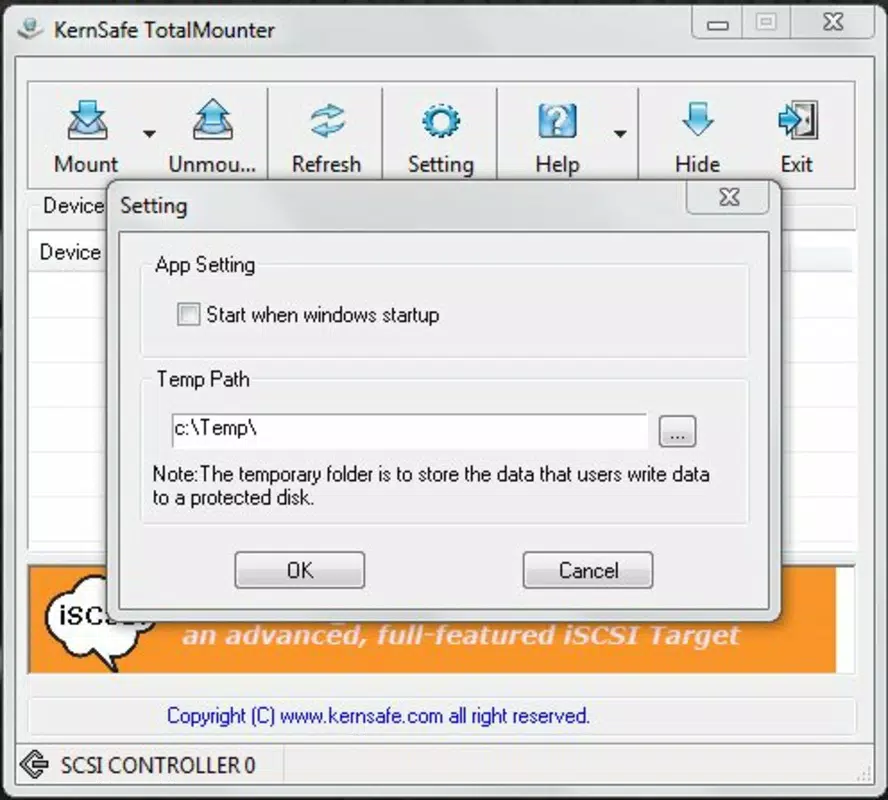
TotalMounter features a clean and minimalistic interface that prioritizes functionality over visual flair. The layout is straightforward, with clearly labeled options for mounting, creating, and managing virtual drives. Navigation is intuitive, allowing users to perform core tasks with minimal clicks.
Although the developer did not list formal performance metrics, the software is reported to operate efficiently on standard Windows systems. Users can expect responsive behavior when mounting or creating disk images, with minimal impact on system resources. The application maintains stability across different device categories, including desktops and laptops, though specific hardware requirements were not disclosed.
Responsiveness is consistent during typical operations such as mounting an ISO or generating a new virtual disk. The lack of visual clutter contributes to a smooth user experience, particularly for users who prefer no-frills tools. While no real-time performance monitoring is available, the absence of reported crashes or freezes suggests reliable operation.
Platform Compatibility & Technical Requirements
TotalMounter is designed for the Windows platform and is compatible with various versions of the operating system, although specific OS requirements were not listed. The current version is 2.1.1, with a file size of 14.6 MB, making it a lightweight application that does not consume significant storage space.
Given its release date in 2013, the software has evolved to maintain compatibility with modern Windows environments, though users should verify system compatibility before installation. The developer did not specify minimum OS requirements or hardware prerequisites.
As a free tool, TotalMounter remains accessible to a wide audience, including users with older systems or limited storage capacity. Its small footprint ensures quick installation and minimal system impact.
Pros and Cons
Pros
- Free to download and use with no hidden costs
- Supports multiple disk image formats including ISO, IMG, VHD, and iSCSI
- Efficient virtual disc creation and mounting capabilities
- Includes password protection for secure file handling
- Lightweight size (14.6 MB) with minimal system resource usage
Cons
- Developer did not provide detailed technical specifications or system requirements
- Interface is minimalistic and may lack advanced customization options
- No visible update notifications or automated update mechanism
- Platform is limited to Windows; no support for macOS or Linux
- Release date is from 2013, raising questions about long-term maintenance
FAQ
Is TotalMounter safe to download and install?
Yes, TotalMounter is a free software tool that does not contain malware or intrusive ads. However, users should always download from official or trusted sources to ensure integrity.
Can I use TotalMounter on Windows 10 or Windows 11?
While the developer did not specify compatibility details, the software has been used successfully on modern Windows systems since its 2013 release. Users are advised to test on their system for optimal performance.
Does TotalMounter support macOS or Linux?
No, the software is currently only available for the Windows platform. There are no official versions for macOS or Linux.
How do I create an ISO file using TotalMounter?
To create an ISO file, users need to select the creation option, define the file size and save location, and optionally set a password. The process is designed to be simple and accessible to all users.
Can I mount multiple virtual drives at once?
Yes, TotalMounter supports mounting multiple disk images simultaneously, allowing users to access several virtual drives without switching between files.
Final Thoughts
TotalMounter remains a dependable choice for users seeking a lightweight, free solution for virtual disc management on Windows. Its ability to mount, create, and secure disk images makes it a valuable tool in both personal and professional workflows. While its interface is simple and lacks modern polish, its core functionality is robust and well-executed.
Users who frequently work with ISO files, software installations, or data backups will find significant value in its features. The inclusion of password protection and iSCSI support adds layers of security and flexibility not commonly found in basic virtual drive tools.
Despite its age, the software continues to serve its purpose effectively. For those needing a reliable virtual CD/DVD emulator without cost or complexity, TotalMounter delivers consistent performance.
Download TotalMounter now


